Email Us
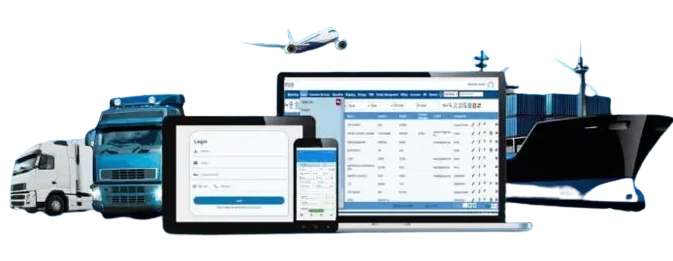
 Freight Forwarding Software
 Warehouse Management System
 Transport Management System
 Moving/Removal Software
 Customer Service Portal
 Move Survey Quote Pro
 Digital Logistics Inventory App
Warehousing used to be simple — shelves, labels, and paper logs. A supervisor would walk around with a clipboard, count items, and mark them down by hand. Orders were tracked through phone calls, receipts, and a lot of guesswork.
But in today’s fast-moving supply chain, that system doesn’t work anymore.
E-commerce has exploded. Customer expectations have changed. Accuracy and speed are now non-negotiable. Businesses that still rely on manual processes struggle to keep up.
This shift has led warehouses to embrace automation and digital transformation, and at the center of that change lies one powerful tool — the Warehouse Management System (WMS).
A modern WMS like QuickMove helps businesses transition from paper-based chaos to organized, data-driven efficiency — where every item, order, and movement is visible in real time.
In this guide, we will discuss:
1. What Is Warehouse Management?
2. Manual Warehouse Operations: The Old Way
3. The Gradual Shift Toward Digital Tools
4. Enter Warehouse Management Systems (WMS)
5. Automation: The Next Leap
6. Benefits of Moving from Manual to Automated WMS
7. Steps to Automate Your Warehouse (Practical Guide)
8. The Future of Warehouse Automation
So, without further ado, let’s get started.
1. What Is Warehouse Management?
At its core, warehouse management is about controlling and optimizing everything that happens inside a warehouse — from receiving goods to storing, picking, packing, and shipping them.
The main goals of warehouse management are:
- Keeping track of inventory accurately
- Using space and labor efficiently
- Fulfilling orders quickly and correctly
- Reducing waste and costs
A warehouse isn’t just a storage space — it’s the heartbeat of a supply chain. A single mistake in inventory can delay shipments, increase costs, and frustrate customers.
That’s why having a well-defined management system — whether manual or digital — is critical for smooth operations.
2. Manual Warehouse Operations: The Old Way
Before software and scanners entered the scene, warehouses relied on people, paper, and memory.
A typical day in a manual warehouse would look like this:
- Staff record incoming shipments in logbooks.
- Items are placed on racks based on experience, not optimization.
- Orders are fulfilled by walking through aisles with printed pick lists.
- Stock counts happen periodically (and often take days).
This approach worked when volumes were low. But as demand grew, so did the problems:
- Errors became frequent. A simple miscount could throw off stock levels.
- Visibility was poor. Managers didn’t know what was in stock in real time.
- Time was wasted. Workers spent hours looking for products or verifying counts.
- Decisions were reactive. Without data, managers could only fix problems after they occurred.
Manual systems also made collaboration hard. When teams rely on physical notes or spreadsheets, information doesn’t travel fast enough — and customers often feel the impact.
3. The Gradual Shift Toward Digital Tools
The first step toward modernization wasn’t full automation — it was digitization.
Warehouses began using Excel sheets, barcode scanners, and standalone inventory software. These tools improved accuracy and speed to some extent. A barcode scan replaced handwritten entries, and Excel formulas replaced calculators.
However, these systems had limits. They couldn’t “talk” to each other.
For example:
- The order management tool didn’t sync with inventory records.
- Scanners collected data but didn’t update stock levels automatically.
- Reports had to be created manually at the end of each day.
These were islands of technology, not an integrated ecosystem.
As businesses expanded, the need for a centralized, real-time system became clear — something that could connect every part of warehouse operations seamlessly.
That’s where Warehouse Management Systems (WMS) changed the game.
4. Enter Warehouse Management Systems (WMS)
A Warehouse Management System is software designed to plan, control, and optimize warehouse operations from start to finish. The global warehouse management system market is projected to expand at a CAGR of 19.9% between 2025 and 2030.
Instead of managing everything manually, WMS brings visibility, accuracy, and automation into one unified platform.
Key Features of a WMS
- Inventory Management: Real-time tracking of every item — from arrival to dispatch.
- Receiving and Putaway: Automates storage locations based on item type and demand.
- Picking and Packing: Suggests optimized routes for pickers, reducing travel time.
- Order Fulfillment: Tracks order status and ensures accurate shipping.
- Analytics and Reporting: Offers insights on efficiency, errors, and performance.
A robust warehouse management system like QuickMove integrates all these features in one place.
Instead of multiple spreadsheets and systems, warehouse managers get a single dashboard that shows everything — stock levels, employee productivity, pending orders, and more.
It’s not just about convenience; it’s about control and confidence.
When you know exactly what’s happening in your warehouse, you can make smarter, faster decisions.
5. Automation: The Next Leap
Automation is the logical next step after digitization.
Once your warehouse data is digital and centralized, you can start using machines and intelligent systems to handle repetitive or complex tasks.
What Automation Means in Warehousing
Automation isn’t just about robots or conveyors. It’s a layered transformation that can look different for each business.
There are three main levels of warehouse automation:
1. System Automation (Software-Based)
This is where most companies begin. A warehouse management system automates tasks like:
- Assigning storage locations
- Generating pick lists
- Tracking stock movement automatically
- Sending alerts for low stock or errors
2. Mechanical Automation (Equipment-Based)
Once software automation is stable, businesses add physical automation tools:
- Conveyor belts for moving items
- Pick-to-light and put-to-light systems
- Automated sorting and packaging machines
3. Intelligent Automation (AI-Driven)
This is the most advanced stage, powered by AI and data analytics:
- Predicting demand and stock levels
- Using robotics for autonomous picking
- Optimizing space and labor based on performance data
Each level builds on the one before it.
You can’t jump straight to robots without first having the digital backbone — and that backbone is your warehouse management software.
A platform like QuickMove makes this transition smooth by offering scalable automation features that grow with your business.
6. Benefits of Moving from Manual to Automated WMS
Switching from manual to automated warehouse management brings both immediate and long-term benefits. There are numerous benefits of warehouse management system. Let’s look at some of the most impactful ones.
1. Real-Time Visibility
Automation gives you live data — you always know what’s in stock, where it is, and what’s moving. No more manual counts or guesswork.
2. Accuracy and Error Reduction
Barcode scans, digital pick lists, and automated updates eliminate human errors that often cause stock mismatches or wrong shipments.
3. Faster Order Fulfillment
Automation minimizes travel time, optimizes picking routes, and speeds up packaging and dispatch. This leads to happier customers and repeat business.
4. Cost Efficiency
Although the initial investment may seem high, automation reduces operational costs over time. Labor efficiency improves, and waste decreases.
5. Scalability
A manual system might collapse under volume growth.
An automated warehouse software can scale easily — whether you’re managing one warehouse or ten.
6. Better Decision-Making
With a system like QuickMove, managers get analytics and reports that highlight inefficiencies and opportunities. You can see what’s working, what’s not, and where to optimize.
7. Employee Productivity
Automation doesn’t replace people; it empowers them.
By taking over repetitive tasks, employees can focus on quality control, customer service, or higher-value activities.
7. Steps to Automate Your Warehouse (Practical Guide)
Automation doesn’t happen overnight. It’s a step-by-step journey that starts with understanding your current operations.
Step 1: Assess Your Current Setup
Map your workflows — from receiving to shipping. Identify bottlenecks, errors, or repetitive tasks.
Step 2: Choose the Right WMS
Look for a solution that fits your business scale and growth plan.
A flexible system like QuickMove allows you to start small and expand features as needed.
Step 3: Integrate Your Tools
Connect your WMS with barcode scanners, ERP systems, or IoT devices.
Integration ensures data flows seamlessly across your entire operation.
Step 4: Start Small, Then Scale
Begin with one process, like inventory or order fulfillment. Once that’s smooth, expand automation to other areas.
Step 5: Monitor and Optimize
Use analytics from your warehouse management system to track KPIs such as order accuracy, turnaround time, and labor utilization. Adjust processes regularly to keep improving.
8. The Future of Warehouse Automation
To say that the future of warehouse automation is interesting would be an understatement. We’re entering an era where warehouses will be more predictive, intelligent, and self-managing.
Here are a few trends shaping the future:
- AI and Machine Learning: Systems that predict demand, optimize stock, and prevent errors before they happen.
- Robotic Picking and Autonomous Vehicles: Machines working alongside humans for faster, safer fulfillment.
- IoT and Smart Sensors: Real-time tracking of every item and asset, from temperature-sensitive goods to high-value stock.
- Sustainability: Energy-efficient warehouses, reduced waste, and smarter space use.
In all these areas, WMS remains the brain of the operation.
Without it, data can’t flow, decisions can’t scale, and automation can’t reach its full potential.
Solutions like QuickMove’s cloud based warehouse management system are already leading this shift by combining automation, analytics, and AI to make warehouses truly intelligent.
Conclusion
Warehouse management has come a long way — from notebooks and manual counts to intelligent systems that can predict, optimize, and automate.
The journey from manual to automated operations isn’t just about upgrading technology. It’s about transforming how your warehouse works, improving accuracy, empowering your team, and preparing your business for the future.
QuickMove’s Warehouse Management System offers an integrated platform to simplify, automate, and scale your operations — no matter the size of your warehouse.
Your warehouse doesn’t have to stay stuck in the manual era.
With the right tools, you can move faster, think smarter, and deliver better — today and every day that follows.